
ConfocalVRTM
Immersive 3D volume visualization for confocal and other microscopy image stacks
New to ConfocalVR? See How to Load Your Own Data on Meta Quest for supported file formats, step-by-step transfer from your desktop to the headset, and tips on tuning multi-channel images.
Before measurement, there is seeing.
A cell biologist studying a confocal stack may be looking for spatial relationships between proteins, organelles, and structures: where two markers seem close enough to deserve a closer look, where a signaling complex sits relative to a membrane, how a network winds through a volume. But the specimen is three-dimensional, and the workflow keeps making it flat. So the researcher scrolls through slice after slice, building the 3D picture in their head. Each slice shows part of the story, but none quite answers the question: how are these structures actually arranged in space? ConfocalVR turns the stack back into the volume it represents. The researcher can examine the specimen as an interactive 3D volume, inspect spatial relationships directly, and bring a sharper, testable hypothesis back to their analysis tools. Because the best analysis does not begin with every possible measurement. It begins with a better question. Whether the question is co-localization, connectivity, morphology, or an unexpected feature in the volume, ConfocalVR helps researchers notice structure before they commit to the next measurement.
How researchers use ConfocalVR
Outreach and public engagement.
Show your work to non-specialists in a way they immediately understand. Two Quest headsets and a phone hotspot is a portable demo station — no laptop, no cables, no setup. Researchers have used ConfocalVR at science fairs, conferences, and public events to make complex cell biology accessible.
Teaching and training.
Students learn spatial relationships in tissue and cells faster when they can fly through the data themselves. Load your teaching datasets once, share the room name, and run a class where every student sees the same specimen in 3D.
Collaboration.
Share a virtual space with colleagues anywhere in the world. Both of you load the same dataset, join the same room, and examine the specimen together with voice chat — point, rotate, discuss. No screen sharing, no flat projections.
Presentations to funders and review panels.
A 60-second VR demo communicates spatial complexity that takes ten slides to explain. Load your best data, hand them a headset, and let the work speak for itself.
Research exploration.
Navigate multi-channel Z-stacks, adjust thresholds per channel, measure distances, and identify regions of interest in immersive 3D. Export measurements and views for publication.
What it does
Who it’s for
Scientists, educators, and core facility managers working with 3D microscopy data.
If your instrument produces a Z-stack, ConfocalVR can render it — and help you show it to the people who need to understand it. Used at universities, research institutes, and public outreach events worldwide.

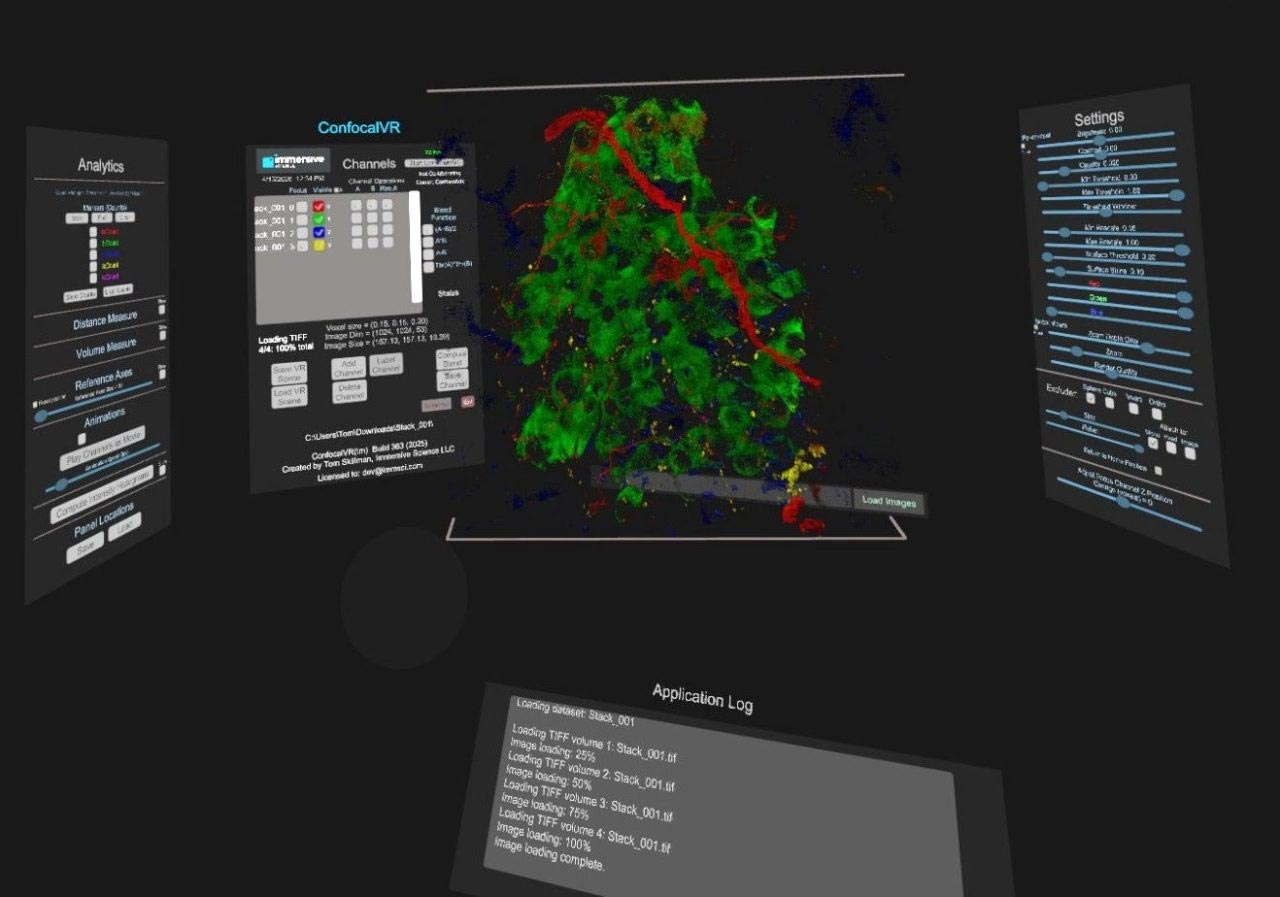
The immersive space provided by ConfocalVR includes display panels (left-to-right) for Channel Info, Analytics, Render Controls, 3D Image, and Channel Controls.
Publications
2018 | Journal of Molecular Biology
ConfocalVR: Immersive Visualization for Confocal Microscopy
2018 | Journal of Molecular Biology
Molecular Visualization on the Holodeck
Real-World Use Cases
The Use of ConfocalVR in Vascular Research
ConfocalVR Key Use Cases at Erasmus
at Erasmus MC Optical Imaging Center in Rotterdam, NL